> ## Documentation Index
> Fetch the complete documentation index at: https://documentation.outpost.pub/llms.txt
> Use this file to discover all available pages before exploring further.
# Rules Engine
> Create condition-based automation rules that subscribe or unsubscribe members from newsletters when labels change.
export const PlanStatus = ({tier, status, beta, deprecated}) => {
const variants = {
luna: {
bg: "#8340B9",
color: "#ffffff",
border: "1px solid #8340B9"
},
voyager: {
bg: "#6B2FA0",
color: "#ffffff",
border: "1px solid #6B2FA0"
},
"space-station": {
bg: "transparent",
color: "#8340B9",
border: "1px solid #8340B9"
},
"all-plans": {
bg: "transparent",
color: "#525252",
border: "1px solid #a3a3a3"
},
labs: {
bg: "transparent",
color: "#a16207",
border: "1px solid #a16207"
},
beta: {
bg: "transparent",
color: "#a16207",
border: "1px solid #a16207"
},
"invite-only": {
bg: "transparent",
color: "#525252",
border: "1px solid #a3a3a3"
},
bespoke: {
bg: "transparent",
color: "#525252",
border: "1px solid #a3a3a3"
},
"outpost-hosted": {
bg: "transparent",
color: "#525252",
border: "1px solid #a3a3a3"
},
deprecated: {
bg: "transparent",
color: "#b91c1c",
border: "1px solid #b91c1c"
}
};
const chip = (variant, label) => {
const s = variants[variant] || variants["all-plans"];
return
{label}
;
};
const tierLabel = {
"luna": "Luna",
"voyager+": "Voyager+",
"voyager-luna": "Voyager + Luna",
"space-station+": "Space Station+",
"all-plans": "All plans"
};
const tierVariant = {
"luna": "luna",
"voyager+": "voyager",
"voyager-luna": "voyager",
"space-station+": "space-station",
"all-plans": "all-plans"
};
const statusLabel = {
"labs": "Labs",
"invite-only": "Invite-only",
"bespoke": "Bespoke",
"deprecated": "Deprecated",
"outpost-hosted": "Outpost Hosted"
};
return
{tier && chip(tierVariant[tier], tierLabel[tier])}
{status && chip(status, statusLabel[status])}
{beta && chip("beta", "Beta")}
{deprecated && chip("deprecated", "Deprecated")}
;
};
The Rules Engine lets you create if-then automation rules that respond to label changes on members. When a label is added or removed, rules can automatically subscribe or unsubscribe the member from specific newsletters.
***
## How rules work
A rule has three parts:
1. **Condition**: What event triggers the rule (label added or removed)
2. **Audience**: Which members the rule applies to (by status, tier, or labels)
3. **Actions**: What happens when the condition is met (subscribe or unsubscribe from a newsletter)
When the trigger fires, Outpost checks whether the member matches the audience criteria. If they do, all actions run.
***
## Creating a rule
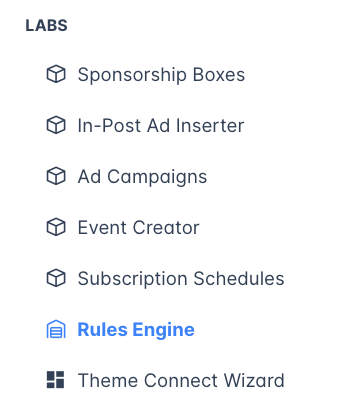
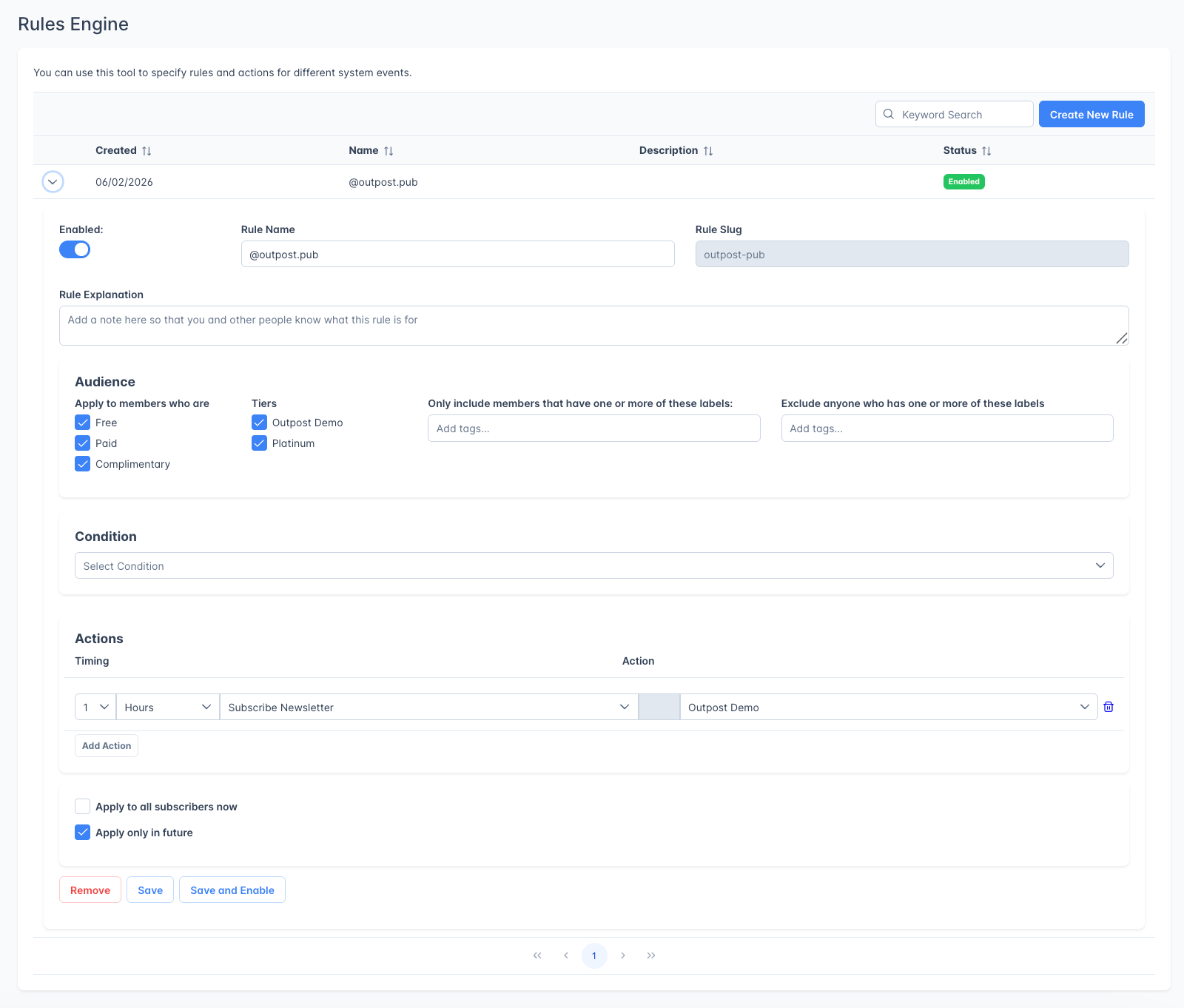
Go to **Labs → Rules Engine** in the left navigation and click **Create New Rule**.
 ### Basic settings
 | Field | Description |
| -------------------- | -------------------------------------------------------------------------------------- |
| **Enabled** | Toggle the rule on or off. Disabled rules do not fire. |
| **Rule Name** | A descriptive name for the rule. Required. |
| **Rule Slug** | Auto-generated from the name. Cannot be changed after creation. |
| **Rule Explanation** | Optional text field to document what the rule does and why. Useful for team reference. |
### Condition
| Field | Description |
| ------------------ | --------------------------------------------------------------------------------------------------------------------------------------------- |
| **Condition Type** | **Member Label Added**: fires when a specific label is applied to a member. **Member Label Removed**: fires when a specific label is removed. |
| **Label** | The specific label that triggers the rule. |
### Audience
| Field | Description |
| -------------------------------------------------------------- | ----------------------------------------------------------------- |
| **Apply to members who are** | Check one or more: Free, Paid, Complimentary. |
| **Tiers** | When Paid or Complimentary is selected, narrow to specific tiers. |
| **Only include members that have one or more of these labels** | Additional label filter for targeting. |
| **Exclude anyone who has one or more of these labels** | Exclude members with specific labels. |
### Actions
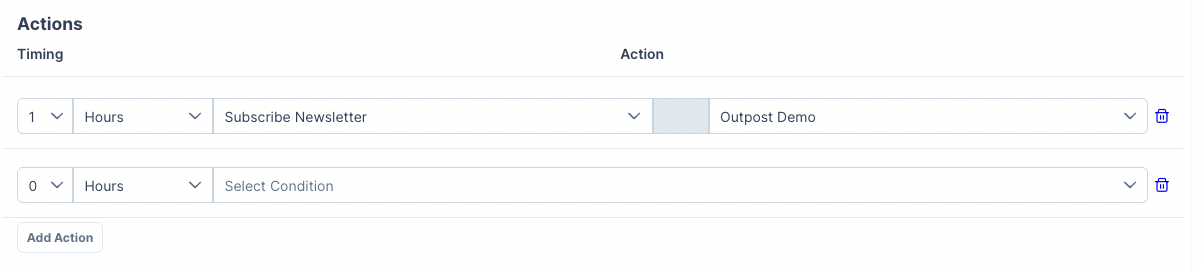
Each rule can have one or more actions, click **Add Action** to add multiple actions to a single rule.
| Field | Description |
| -------------------- | -------------------------------------------------------------------------------------- |
| **Enabled** | Toggle the rule on or off. Disabled rules do not fire. |
| **Rule Name** | A descriptive name for the rule. Required. |
| **Rule Slug** | Auto-generated from the name. Cannot be changed after creation. |
| **Rule Explanation** | Optional text field to document what the rule does and why. Useful for team reference. |
### Condition
| Field | Description |
| ------------------ | --------------------------------------------------------------------------------------------------------------------------------------------- |
| **Condition Type** | **Member Label Added**: fires when a specific label is applied to a member. **Member Label Removed**: fires when a specific label is removed. |
| **Label** | The specific label that triggers the rule. |
### Audience
| Field | Description |
| -------------------------------------------------------------- | ----------------------------------------------------------------- |
| **Apply to members who are** | Check one or more: Free, Paid, Complimentary. |
| **Tiers** | When Paid or Complimentary is selected, narrow to specific tiers. |
| **Only include members that have one or more of these labels** | Additional label filter for targeting. |
| **Exclude anyone who has one or more of these labels** | Exclude members with specific labels. |
### Actions
Each rule can have one or more actions, click **Add Action** to add multiple actions to a single rule.
 | Field | Description |
| --------------- | ---------------------------------------------------------------------------------------------------------------------------------------- |
| **Timing** | When the action executes relative to the trigger (immediately, or after a delay). |
| **Action Type** | **Subscribe Newsletter**: adds the member to a Ghost newsletter. **Unsubscribe Newsletter**: removes the member from a Ghost newsletter. |
| **Newsletter** | The specific Ghost newsletter to subscribe to or unsubscribe from. |
### Apply timing
| Option | Description |
| -------------------------------- | ----------------------------------------------------------------------------- |
| **Apply to all subscribers now** | Run the rule immediately against all existing members who match the criteria. |
| **Apply only in future** | Only trigger for future label changes: don't apply retroactively. |
When selecting "Apply to all subscribers now," a confirmation dialog shows the number of members who will be affected. Review this count carefully before confirming.
***
## Example rules
**Newsletter opt-in via label:**
* Condition: Label `premium-newsletter` added
* Audience: Paid members
* Action: Subscribe to "Premium Weekly Digest" newsletter
**Unsubscribe churned members:**
* Condition: Label `cancelled` added
* Audience: All member types
* Action: Unsubscribe from "Paid Members Only" newsletter
**Targeted content by tier:**
* Condition: Label `vip` added
* Audience: Paid members on the "Founder" tier
* Action: Subscribe to "Founders Circle" newsletter
## Disabling rules
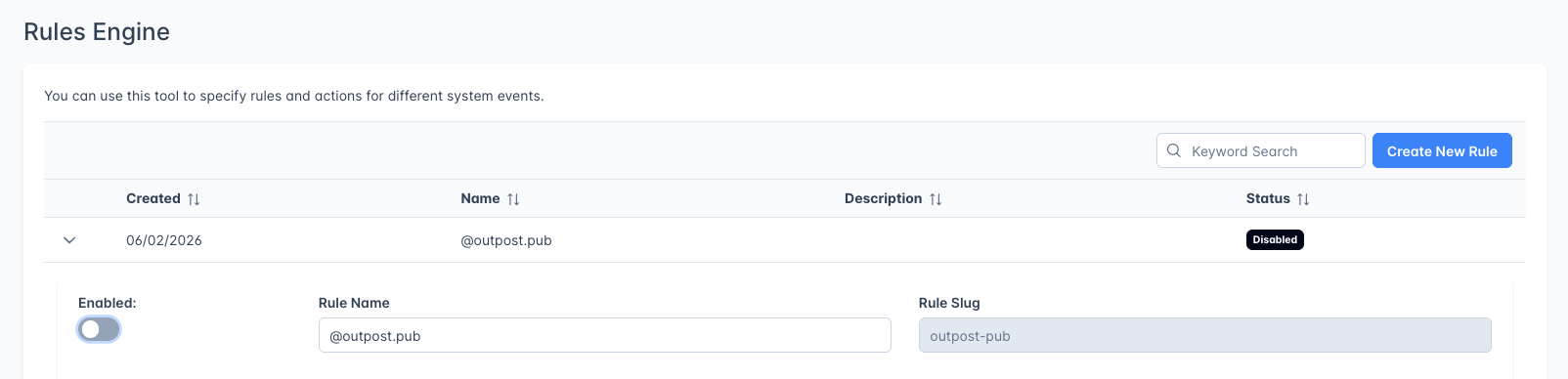
Toggle the "Enabled" button and the status will change to "Disabled" in the dashboard.
| Field | Description |
| --------------- | ---------------------------------------------------------------------------------------------------------------------------------------- |
| **Timing** | When the action executes relative to the trigger (immediately, or after a delay). |
| **Action Type** | **Subscribe Newsletter**: adds the member to a Ghost newsletter. **Unsubscribe Newsletter**: removes the member from a Ghost newsletter. |
| **Newsletter** | The specific Ghost newsletter to subscribe to or unsubscribe from. |
### Apply timing
| Option | Description |
| -------------------------------- | ----------------------------------------------------------------------------- |
| **Apply to all subscribers now** | Run the rule immediately against all existing members who match the criteria. |
| **Apply only in future** | Only trigger for future label changes: don't apply retroactively. |
When selecting "Apply to all subscribers now," a confirmation dialog shows the number of members who will be affected. Review this count carefully before confirming.
***
## Example rules
**Newsletter opt-in via label:**
* Condition: Label `premium-newsletter` added
* Audience: Paid members
* Action: Subscribe to "Premium Weekly Digest" newsletter
**Unsubscribe churned members:**
* Condition: Label `cancelled` added
* Audience: All member types
* Action: Unsubscribe from "Paid Members Only" newsletter
**Targeted content by tier:**
* Condition: Label `vip` added
* Audience: Paid members on the "Founder" tier
* Action: Subscribe to "Founders Circle" newsletter
## Disabling rules
Toggle the "Enabled" button and the status will change to "Disabled" in the dashboard.
 ***
## Related features
Use autoresponder flows for multi-step email sequences.
Labels are the triggers for rules engine conditions.
Grant tier or complimentary access automatically when a new member's email matches a pattern.
***
## FAQ
The Rules Engine responds to label changes and manages newsletter subscriptions. The [Autoresponder](/features/basic-autoresponder) is for sending email sequences triggered by registration, renewal, or other lifecycle events. They complement each other: use labels to connect the two.
Yes. When creating a rule, choose "Apply to all subscribers now" to run it against all existing members who match the criteria. Otherwise, it only fires for future label changes.
All matching rules run independently. If two rules both subscribe a member to the same newsletter, the duplicate subscription is simply ignored.
No. The Rules Engine only manages newsletter subscriptions (subscribe/unsubscribe). To send emails based on conditions, use the [Autoresponder](/features/basic-autoresponder) with a "Member Label Added" start condition.
***
## Related features
Use autoresponder flows for multi-step email sequences.
Labels are the triggers for rules engine conditions.
Grant tier or complimentary access automatically when a new member's email matches a pattern.
***
## FAQ
The Rules Engine responds to label changes and manages newsletter subscriptions. The [Autoresponder](/features/basic-autoresponder) is for sending email sequences triggered by registration, renewal, or other lifecycle events. They complement each other: use labels to connect the two.
Yes. When creating a rule, choose "Apply to all subscribers now" to run it against all existing members who match the criteria. Otherwise, it only fires for future label changes.
All matching rules run independently. If two rules both subscribe a member to the same newsletter, the duplicate subscription is simply ignored.
No. The Rules Engine only manages newsletter subscriptions (subscribe/unsubscribe). To send emails based on conditions, use the [Autoresponder](/features/basic-autoresponder) with a "Member Label Added" start condition.