> ## Documentation Index
> Fetch the complete documentation index at: https://documentation.outpost.pub/llms.txt
> Use this file to discover all available pages before exploring further.
# Member Spam Filter
> Block spam signups automatically using email, domain, or keyword rules, removing matches the moment they register.
 Spam Filtering is available on advanced plans. If you're on a basic plan, you'll see a restriction message when navigating to this page.
The Spam Filter lets you create rules that automatically remove members the moment they sign up if their email matches a pattern you've defined. This protects your publication from fake signups, bot registrations, and known bad domains, keeping your member list clean and your sender reputation intact.
## How it works
Each spam filter rule is a string pattern matched against incoming member email addresses as a substring. When a new member signs up and their email contains the pattern, they are **immediately removed**, before they ever receive an email from your publication.
Spam Filtering is available on advanced plans. If you're on a basic plan, you'll see a restriction message when navigating to this page.
The Spam Filter lets you create rules that automatically remove members the moment they sign up if their email matches a pattern you've defined. This protects your publication from fake signups, bot registrations, and known bad domains, keeping your member list clean and your sender reputation intact.
## How it works
Each spam filter rule is a string pattern matched against incoming member email addresses as a substring. When a new member signs up and their email contains the pattern, they are **immediately removed**, before they ever receive an email from your publication.
 Because matching is substring-based, the same field handles three common patterns:
| Pattern style | Example | What it matches |
| --------------- | ------------------ | -------------------------------------------------------------- |
| **Exact email** | `test@example.com` | Only emails containing that specific address |
| **Domain** | `@example.com` | Any email from that domain (e.g., `anyone@example.com`) |
| **Keyword** | `mailinator` | Any email containing that string (e.g., `user@mailinator.com`) |
Substring matching means a keyword like `aol` would also match `aol.com`. Test broad patterns against the existing-match count before saving.
***
## The spam filter list
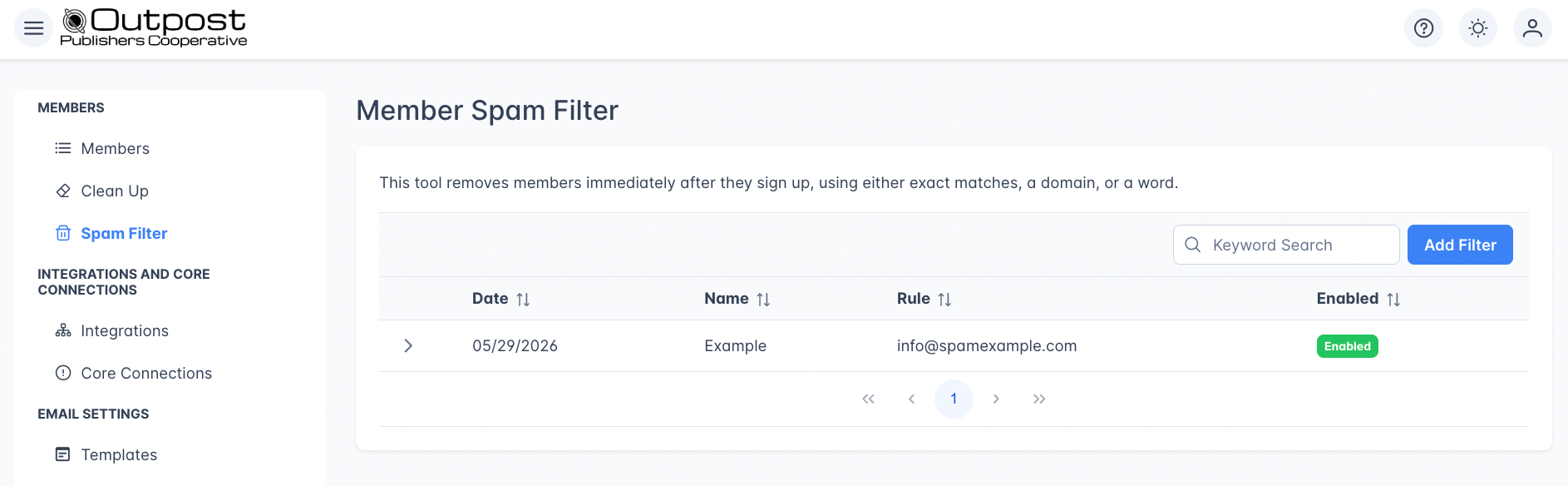
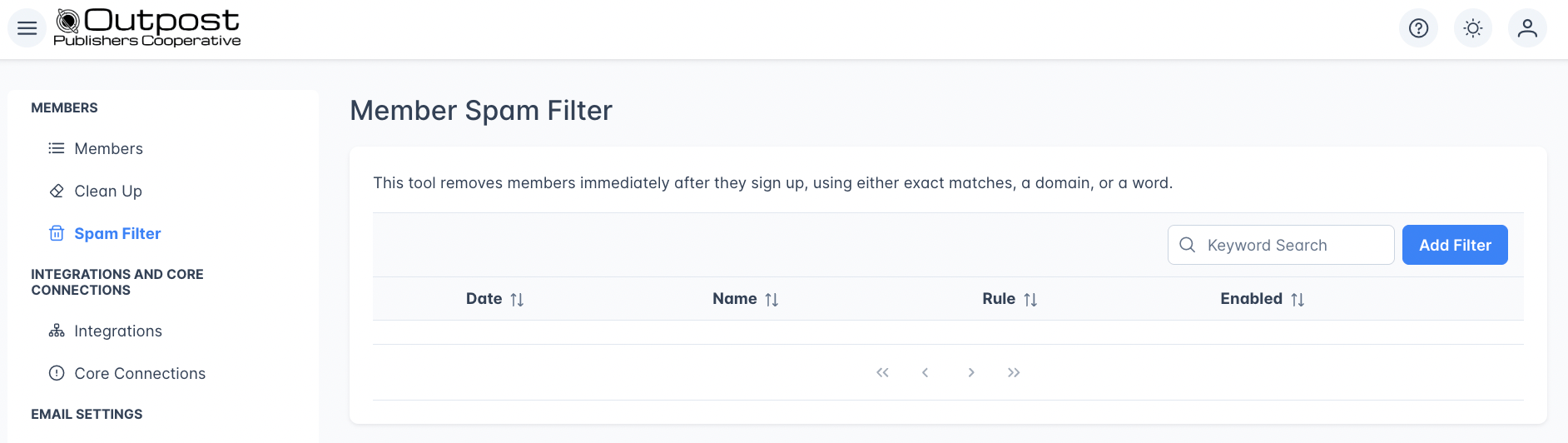
The filter list table displays:
| Column | Description |
| ----------- | ------------------------------------------------------------------------------ |
| **Date** | When the filter was created. Sortable. |
| **Name** | Your internal name for the filter (e.g., "Block disposable emails"). Sortable. |
| **Rule** | The email, domain, or keyword pattern. Sortable. |
| **Enabled** | Badge showing **Enabled** (green) or **Disabled** (gray). Sortable. |
Use the search box to find filters by name or rule text.
***
## Creating a spam filter
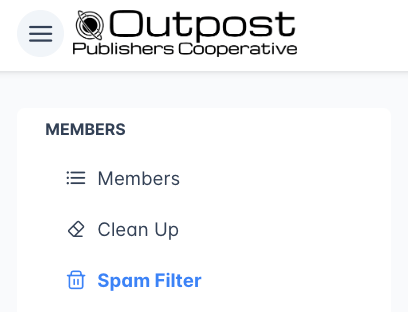
Go to **Members → Spam Filter**.
Because matching is substring-based, the same field handles three common patterns:
| Pattern style | Example | What it matches |
| --------------- | ------------------ | -------------------------------------------------------------- |
| **Exact email** | `test@example.com` | Only emails containing that specific address |
| **Domain** | `@example.com` | Any email from that domain (e.g., `anyone@example.com`) |
| **Keyword** | `mailinator` | Any email containing that string (e.g., `user@mailinator.com`) |
Substring matching means a keyword like `aol` would also match `aol.com`. Test broad patterns against the existing-match count before saving.
***
## The spam filter list
The filter list table displays:
| Column | Description |
| ----------- | ------------------------------------------------------------------------------ |
| **Date** | When the filter was created. Sortable. |
| **Name** | Your internal name for the filter (e.g., "Block disposable emails"). Sortable. |
| **Rule** | The email, domain, or keyword pattern. Sortable. |
| **Enabled** | Badge showing **Enabled** (green) or **Disabled** (gray). Sortable. |
Use the search box to find filters by name or rule text.
***
## Creating a spam filter
Go to **Members → Spam Filter**.
 Click **Add Filter**.
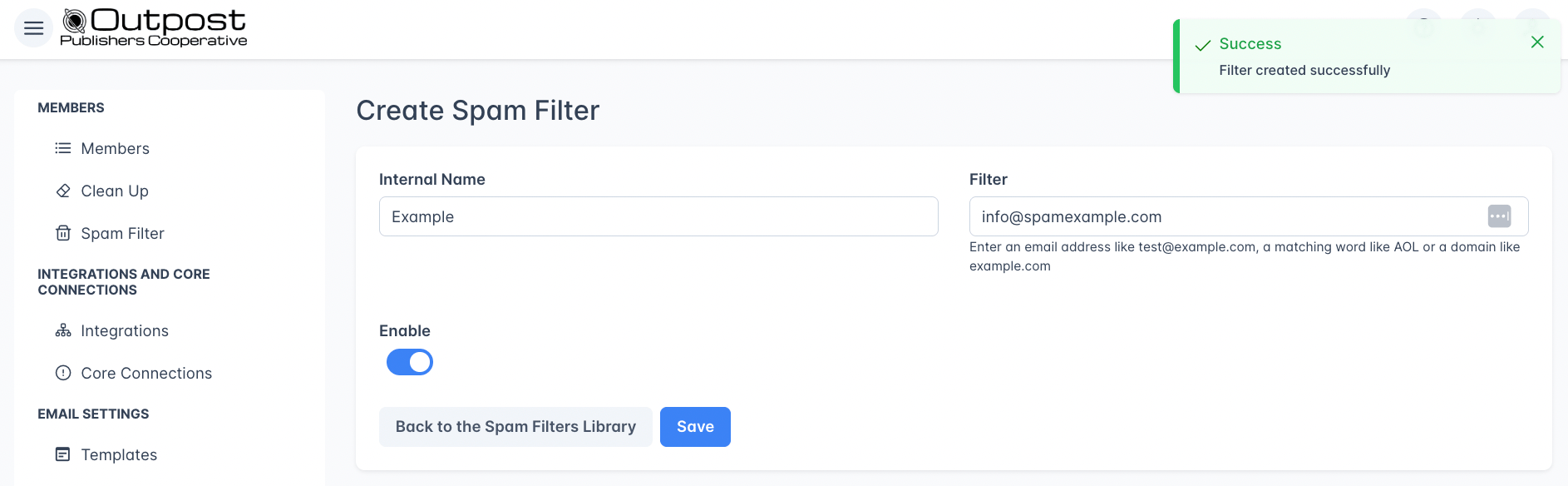
 | Field | Description |
| ----------------- | ----------------------------------------------------------------------------------------------------------------------------------- |
| **Internal Name** | A descriptive name for your reference (e.g., "Disposable email domains"). Required. |
| **Filter** | The pattern to match. Enter an email address like `test@example.com`, a domain like `@example.com`, or a keyword like `mailinator`. |
| **Enable** | Toggle the filter on or off. New filters are enabled by default. |
Click **Save**. The filter starts blocking matching signups immediately.
| Field | Description |
| ----------------- | ----------------------------------------------------------------------------------------------------------------------------------- |
| **Internal Name** | A descriptive name for your reference (e.g., "Disposable email domains"). Required. |
| **Filter** | The pattern to match. Enter an email address like `test@example.com`, a domain like `@example.com`, or a keyword like `mailinator`. |
| **Enable** | Toggle the filter on or off. New filters are enabled by default. |
Click **Save**. The filter starts blocking matching signups immediately.
 ### Checking for existing matches
After entering a filter rule, the form shows a count of **existing members** that match the pattern. This helps you see the potential impact before saving.
If matches are found, a **Remove \[N] member(s) from Ghost** button appears. Clicking it removes all matching members from Ghost immediately.
Removing matching members is immediate and cannot be undone. Make sure you review the match count before clicking this button.
***
## Editing a spam filter
### Checking for existing matches
After entering a filter rule, the form shows a count of **existing members** that match the pattern. This helps you see the potential impact before saving.
If matches are found, a **Remove \[N] member(s) from Ghost** button appears. Clicking it removes all matching members from Ghost immediately.
Removing matching members is immediate and cannot be undone. Make sure you review the match count before clicking this button.
***
## Editing a spam filter
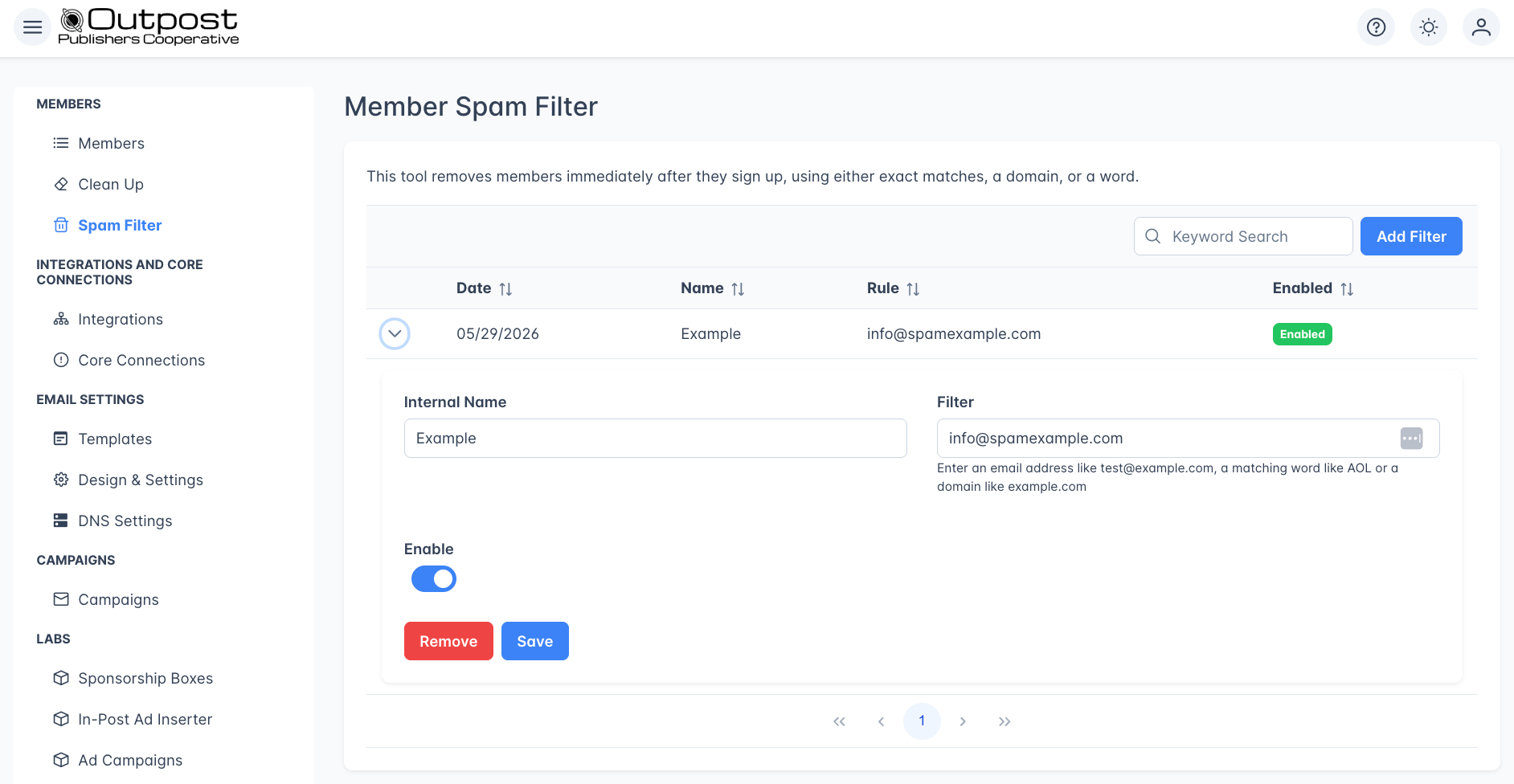 Click the expand arrow on any filter row to open its detail view. You can:
* Change the internal name or rule pattern
* Toggle the filter on or off
* Check how many existing members match
* Remove matching members
* Delete the filter entirely by clicking **Remove**
***
## Tips for effective spam filtering
Start with broad domain blocks for known disposable email services (e.g., `mailinator.com`, `guerrillamail.com`, `tempmail.com`). These are the most common sources of spam signups.
* **Use keywords sparingly**: A keyword like "test" might match legitimate emails. Prefer exact domains or email addresses when possible.
* **Review before removing**: Always check the match count before using "Remove Matching Members" to avoid accidentally deleting real subscribers.
* **Disable instead of delete**: If you're unsure about a rule, toggle it off instead of removing it. You can re-enable it later.
***
## Related features
View and manage your full member list.
Remove free members who have unsubscribed from your newsletters.
Validate email addresses with ZeroBounce to reduce bounces and protect sender reputation.
***
## FAQ
The spam filter primarily catches **new signups**: it removes matching members the moment they register. However, you can also check for existing matches and remove them manually using the **Remove Matching Members** button on any filter rule.
The spam filter blocks signups based on rules you define (specific emails, domains, or keywords). [ZeroBounce](/integrations/zerobounce) is an external email validation service that checks whether an email address is real, deliverable, or a known spam trap. They complement each other: use the spam filter for known bad patterns and ZeroBounce for general email validation.
Yes, if a keyword rule is too broad. For example, a keyword filter for "test" would block someone with the email `contest@example.com`. Review the match count before saving, and prefer exact domains or email addresses over keywords when possible.
No. Disabling a filter only stops it from catching future signups. Members that were already removed are not restored. If you need to re-add someone, you can create them manually from the Members page.
Click the expand arrow on any filter row to open its detail view. You can:
* Change the internal name or rule pattern
* Toggle the filter on or off
* Check how many existing members match
* Remove matching members
* Delete the filter entirely by clicking **Remove**
***
## Tips for effective spam filtering
Start with broad domain blocks for known disposable email services (e.g., `mailinator.com`, `guerrillamail.com`, `tempmail.com`). These are the most common sources of spam signups.
* **Use keywords sparingly**: A keyword like "test" might match legitimate emails. Prefer exact domains or email addresses when possible.
* **Review before removing**: Always check the match count before using "Remove Matching Members" to avoid accidentally deleting real subscribers.
* **Disable instead of delete**: If you're unsure about a rule, toggle it off instead of removing it. You can re-enable it later.
***
## Related features
View and manage your full member list.
Remove free members who have unsubscribed from your newsletters.
Validate email addresses with ZeroBounce to reduce bounces and protect sender reputation.
***
## FAQ
The spam filter primarily catches **new signups**: it removes matching members the moment they register. However, you can also check for existing matches and remove them manually using the **Remove Matching Members** button on any filter rule.
The spam filter blocks signups based on rules you define (specific emails, domains, or keywords). [ZeroBounce](/integrations/zerobounce) is an external email validation service that checks whether an email address is real, deliverable, or a known spam trap. They complement each other: use the spam filter for known bad patterns and ZeroBounce for general email validation.
Yes, if a keyword rule is too broad. For example, a keyword filter for "test" would block someone with the email `contest@example.com`. Review the match count before saving, and prefer exact domains or email addresses over keywords when possible.
No. Disabling a filter only stops it from catching future signups. Members that were already removed are not restored. If you need to re-add someone, you can create them manually from the Members page.