

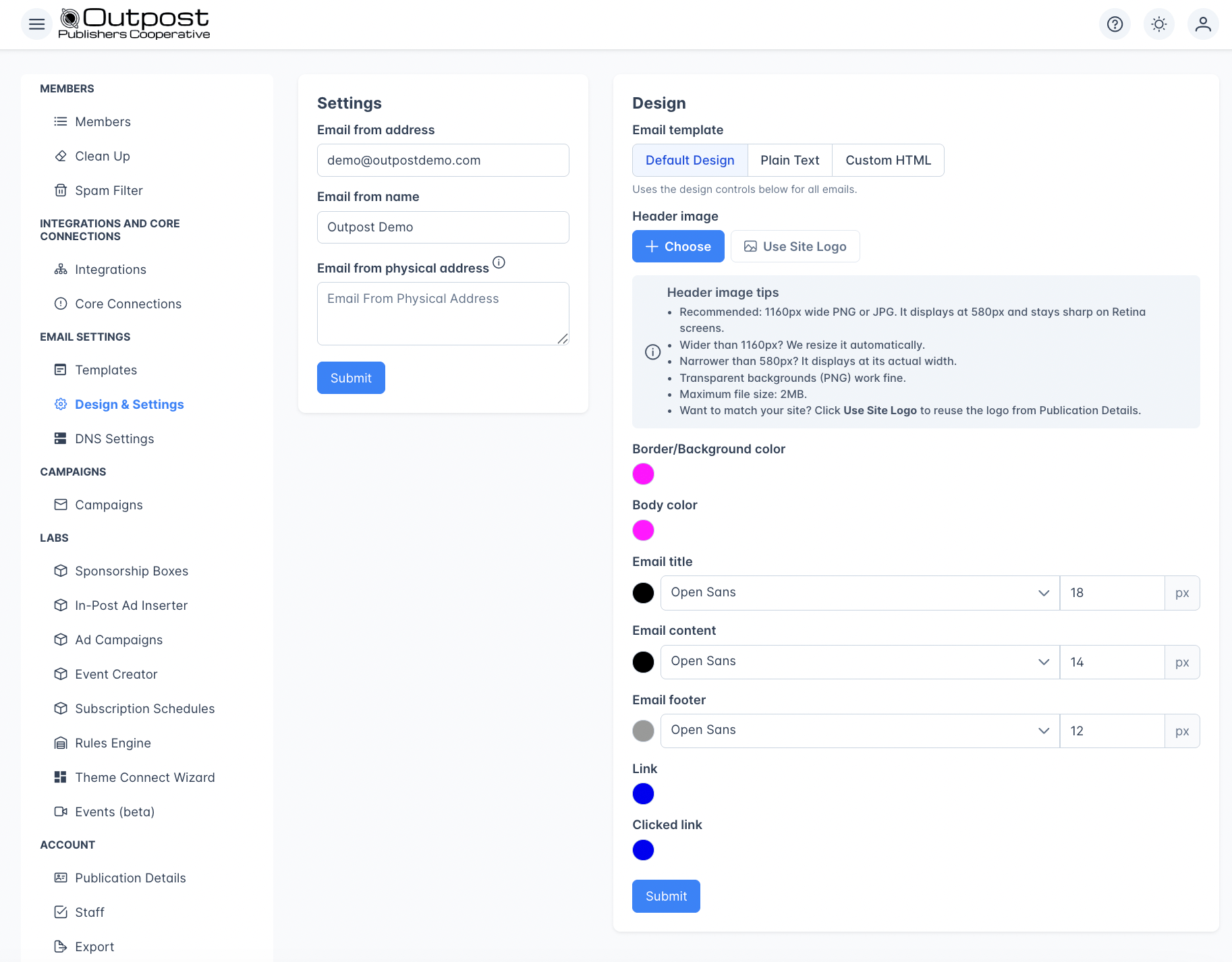
Email Design Settings showing from address, header image, and color/font customization options
Sender identity
Outpost fills your sender address in from the support address on your Ghost site while the field is still empty, which is normally at setup. That field is Email from address, or Email Reply-to Address when Outpost email routing is on. Once you save your own address there, it stays as you set it, and refreshing your site settings from Ghost leaves it alone.
Your Email from address is also where reader “write us” links go. When a gift or a checkout is refused, the message the reader sees includes a link to contact you, and that link opens an email to this address. If it is not a valid email address, those links fall back to your member portal instead and the reader has no direct way to reach you.
Design options
Your emails use one of three Email template modes, chosen with the selector at the top of Email Design Settings:- Default Design: Outpost’s standard email layout, styled with the header image, colors, fonts, and button options below.
- Plain Text: strips all styling for a plain-text email (see Plain text mode).
- Custom HTML: your own HTML wrapper (see Custom HTML template).
Header image
Upload a logo or banner image that appears at the top of every email. The header image is the only image field in Email Design Settings. It renders centered at the top of every email Outpost sends. If you’ve already set a logo in Publication Details, click Use Site Logo to reuse it. Click Remove to go back to a text-only header. Uploading a header image saves your email settings automatically: there’s no separate Submit step, and removing the image saves automatically too. (Use Site Logo stages the change, so click Submit to keep it.)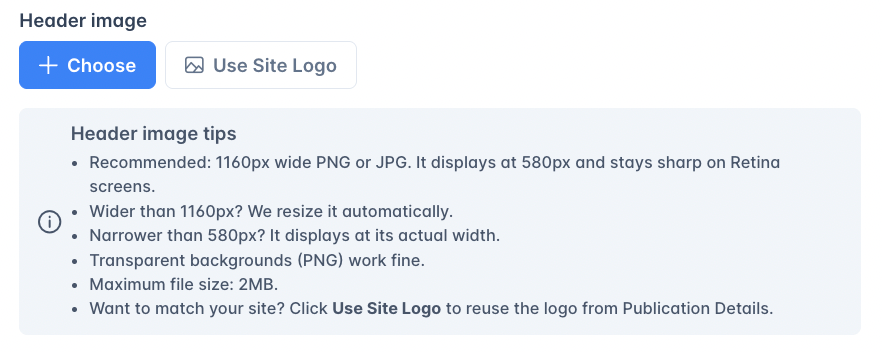
Suggested sizes
- File format: PNG, JPG, GIF, or WebP
- Max file size: 2 MB (enforced by the upload control)
- Aspect ratio: Anything works. Outpost preserves your aspect ratio when resizing
- Height: No fixed limit, but tall headers push content below the fold; most publications keep their header under ~200px tall
Auto-resize on upload
Outpost automatically resizes oversized header images on upload:- Images wider than 1160px are scaled down to 1160px wide.
- The original aspect ratio is preserved. Outpost does not crop.
- Images at or under 1160px wide are stored as-is.
Plain text mode
Switching the Email template to Plain Text strips all styling from your emails. They’re sent as plain text without colors (including link colors), fonts, the header image, or button styling. This can improve deliverability for some audiences. Switch back to Default Design to restore the styled layout and the options below.Colors
Fonts and text
Buttons
Style the call-to-action buttons in your Default Design emails:
These styles apply to the buttons Outpost adds to Default Design emails. They don’t affect Plain Text emails (which have no styling) or Custom HTML templates, where you control button styling yourself.
Custom HTML template
For full control over your email layout, set the Email template to Custom HTML. This lets you write raw HTML that wraps your email content.Available merge tags
The
%BLOG_*% and %SITE_*% prefixes are interchangeable. For example, %BLOG_NAME% and %SITE_NAME% produce the same output. Use whichever you prefer.Preview
Use the Preview tab to see how your custom HTML renders. Toggle between Free Member and Paid Member views to verify conditional content blocks display correctly.Related features
Email Templates
Create the email content that uses these design settings.
Autoresponder Sending Domain
Send from your own domain for better deliverability.
Mailgun Integration
Mailgun delivers all emails styled with these settings.
FAQ
Do design changes apply to all emails?
Do design changes apply to all emails?
Yes. Colors, fonts, header image, and custom HTML affect all emails sent through Outpost: autoresponder flows, campaigns, and system notifications.
Can I show different content to free vs. paid members?
Can I show different content to free vs. paid members?
Yes. In your custom HTML template, use
%RECIPIENT.PAID_BLOCK_START% and %RECIPIENT.PAID_BLOCK_END% to wrap content visible only to paid members. Use the free equivalents (%RECIPIENT.FREE_BLOCK_START% / %RECIPIENT.FREE_BLOCK_END%) for free-member-only content. The preview tab lets you toggle between views.What happens if I enable plain text mode?
What happens if I enable plain text mode?
All styling is stripped: no colors, fonts, header image, or button styling. Emails are sent as plain text. This can be useful for audiences where plain text performs better (e.g., business/enterprise).
What size should my header image be?
What size should my header image be?
Upload at 1160px wide. The header renders at up to 580px in most email clients, so 1160px gives you sharp display on retina screens (which render at 2× density). Outpost auto-resizes anything wider than 1160px down to 1160px on upload. Your aspect ratio is preserved. Max file size is 2 MB.
Does Outpost crop my header image?
Does Outpost crop my header image?
No. Outpost only scales down images wider than 1160px, preserving the full aspect ratio. Nothing gets cut off. If you want to reframe the image, edit it before uploading.
Can I add other images to the email design?
Can I add other images to the email design?
The header image is the only image you can configure in Email Design Settings. To add more imagery (hero images, signature images, social icons, etc.), use the Custom HTML Template to embed
<img> tags pointing to your own hosted images, or include images inside individual email templates where they’re part of the email body.