

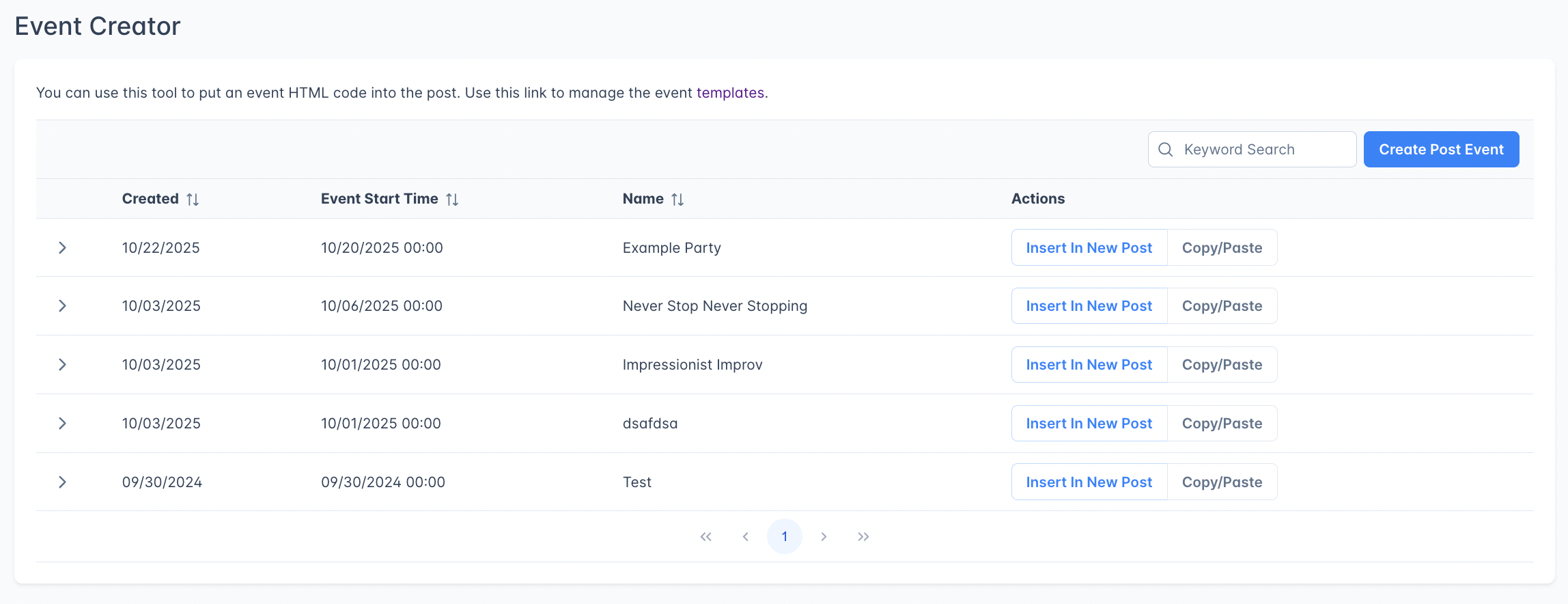
Event Creator list showing event name, date, and action buttons
How it works
- Create an event widget with details (name, date, time, location, price).
- Insert In New Post: Outpost creates a new Ghost draft post. The widget HTML is added to the post’s
codeinjection_foot, and the post body starts empty. The event details render on your published site, not inside the Ghost editor. - Or copy the embed code to your clipboard and paste it into any existing Ghost post.
Creating an event
Go to Event Creator in the left navigation and click Create Post Event.Event fields
Prices follow the Default currency on your Publication Details page. A new site starts on US Dollars, and connecting Stripe sets it to the currency of your Stripe account, so check it there before you price an event. The price field shows that currency’s symbol. On your published site, whole amounts appear without cents, so a price of 10 on a US Dollar site shows as $10.
Templates
If you’ve created event templates, you can pick one instead of filling in every field manually. Templates are user-authored: click Manage templates on the Event Creator list page to create your own. Each template defines its own custom fields (text input, date, time, price, dropdown, timezone) and can have default values. If your publication has starter templates pre-configured by Outpost, those are also available in the dropdown when creating an event.Using event widgets
After creating an event, you have two options:Insert into a new post
Click Insert In New Post to create a new Ghost draft. Outpost places the rendered widget HTML into the post’scodeinjection_foot; the post body starts empty. Open the draft in Ghost, add a title and your own copy, then publish. The widget renders on your live site.
Copy and paste
Click Copy/Paste to copy the event embed code to your clipboard. Then paste it into any existing Ghost post.Editing events
Click any event row in the list to expand and edit it. Changes are saved in Outpost, but if you’ve already inserted or pasted the widget into a Ghost post, the existing post does not update automatically. You’ll need to re-insert (creates a new draft) or re-copy and paste the updated HTML.Event Creator vs. Events
Use Event Creator for simple event announcements with external ticketing. Use Events for events where you want built-in registration, attendee management, and calendar integration.
Related features
Events
Full event system with registration, attendee tracking, and Ghost integration.
CTAs
Add conversion-focused calls to action alongside your event content.
FAQ
Can members register for Event Creator events?
Can members register for Event Creator events?
Not through Outpost. Event Creator generates event detail widgets for display in posts; it doesn’t handle registration. For registration, either link to an external ticketing service via the Ticket Purchase Link field, or use the full Events system for built-in RSVP.
Do changes to an event update existing Ghost posts?
Do changes to an event update existing Ghost posts?
No. The HTML is embedded as a snapshot. If you update an event, you’ll need to re-copy the HTML and update the Ghost post manually.
Can I use templates?
Can I use templates?
Yes. Click Manage templates on the Event Creator list page to create your own templates. Each template defines its own custom fields and default values, so a recurring event format only needs the variable details filled in each time.